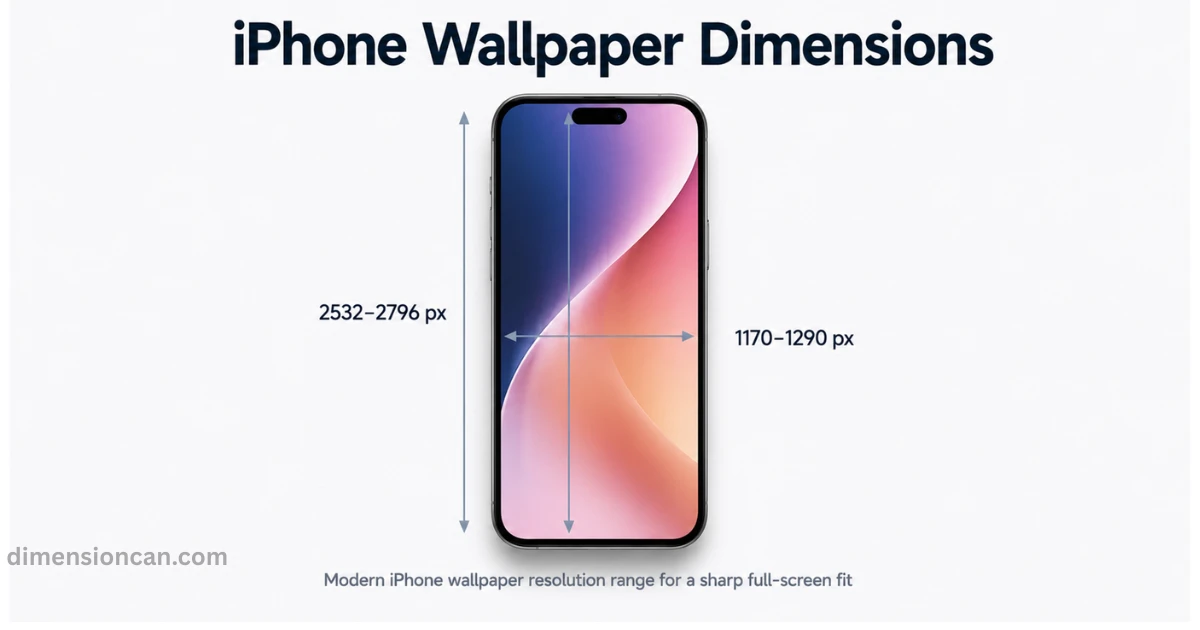
This guide breaks down exact iPhone wallpaper sizes for every model, shows you how to set them correctly, and covers mistakes most guides skip entirely.
What Are the Correct iPhone Wallpaper Dimensions?
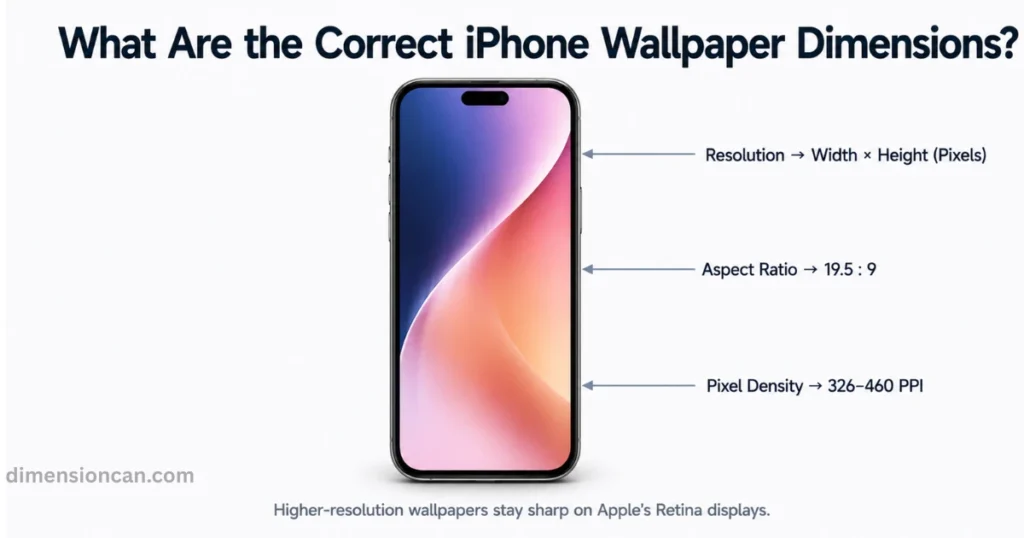
Every iPhone screen has three things that decide the right wallpaper size: resolution, aspect ratio, and pixel density (PPI).
- Resolution is the total number of pixels on the screen, written as width x height. A
- spect ratio is the shape of the screen, like 19.5:9, which almost all modern iPhones use.
- PPI, or pixels per inch, controls how sharp the image looks up close.
Apple’s Retina Display technology uses high PPI, ranging from 326 PPI on standard models to 460 PPI on Pro models, so low-quality images look noticeably worse on newer iPhones.
More Posts:Standard Bathtub Dimensions: A Complete Size Guide for Every Bathroom
iPhone Wallpaper Dimensions by Model (2026 Chart)
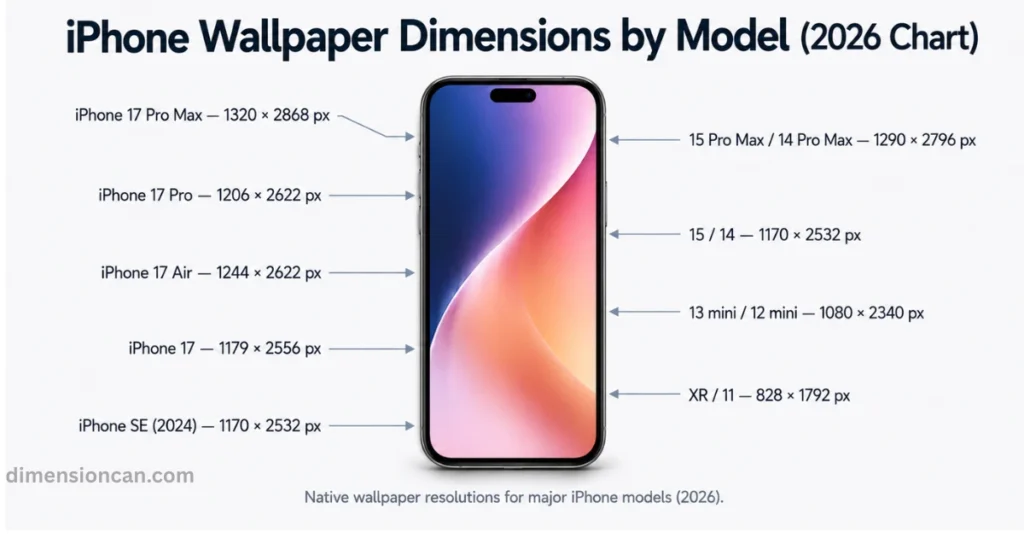
iPhone 17 Pro Max, Pro, Air, Standard, and SE Sizes
The iPhone 17 Pro Max uses 1320 x 2868 pixels. The iPhone 17 Pro uses 1206 x 2622 pixels. The iPhone 17 Air uses 1244 x 2622 pixels. The standard iPhone 17 uses 1179 x 2556 pixels.
The iPhone SE (2024) uses 1170 x 2532 pixels, matching the iPhone 14 form factor.
Older iPhone Models (XR to 15 Series) Size Chart
The iPhone 15 Pro Max and 14 Pro Max use 1290 x 2796 pixels. The iPhone 15 and 14 use 1170 x 2532 pixels. The iPhone 13 mini and 12 mini use 1080 x 2340 pixels.
The iPhone XR and 11 use 828 x 1792 pixels, the lowest resolution among modern models still supported by iOS 18.
iPhone Lock Screen and Live Wallpaper Dimensions
iOS 16 and later introduced customizable lock screens, and this changes what “correct sizing” means.
Dimensions for Lock Screen Widgets and Depth Effect Photos
For the Depth Effect feature, Apple recommends photos with a clear subject in focus and enough resolution to allow the parallax layering effect to separate foreground from background smoothly. Low-resolution images make this effect look jagged instead of smooth.
Widgets sit near the top and bottom of the lock screen, so important parts of your image should stay in the middle 60 percent of the frame to avoid being blocked.
Live Photo and Dynamic Wallpaper Size Requirements
Live wallpapers need the same pixel dimensions as static ones, but also require a minimum 3-second video capture at native resolution. Compressing these files too much causes stutter when the wallpaper animates on tap or raise-to-wake.
More Posts:Car Garage Dimensions: Standard Sizes for 1, 2, 3 & 4-Car Garages (2026)
How to Set the Right Wallpaper Dimensions on iPhone
Getting the size right isn’t complicated once you know where iOS gets strict.
Method One: Using the Photos App at the Correct Size
Open Settings, tap Wallpaper, then Add New Wallpaper. Choosing directly from your Photos library works best because iOS automatically matches your device’s native resolution during preview, reducing cropping errors compared to importing from Safari or Messages.
Method Two: Resizing Images for iPhone Wallpaper Dimensions
For custom designs, tools like Canva or Photoshop let you set an exact canvas size before designing. Search your model’s exact resolution, create a canvas at that size, and keep your subject centered. This avoids Apple’s automatic cropping entirely, since the image already matches the target device.
Common iPhone Wallpaper Dimension Mistakes to Avoid
Even with the right numbers, small mistakes still ruin final results.
Uploading Low-Resolution Images from Web Sources
Many wallpaper websites compress images to save bandwidth, which quietly lowers actual pixel count below what’s advertised. Always check the actual file properties before setting an image as wallpaper, not just the filename or thumbnail.
Ignoring Safe Areas for Notch, Dynamic Island, and Clock Widget
The Dynamic Island, status bar, and lock screen clock all sit in fixed zones. Busy or detailed images placed directly behind these areas get visually cluttered. Keeping key details away from the very top and very bottom of your image avoids this.
More Posts:Queen Bed Dimensions: The Complete Size Guide
iPhone Wallpaper Dimensions FAQ’s
What is the standard iPhone wallpaper size in pixels?
Most current iPhones use between 1170 x 2532 and 1320 x 2868 pixels, depending on the model.
Are iPhone wallpaper dimensions the same for all models?
No. Each model line has a different resolution and aspect ratio based on its screen size.
What’s the best image resolution for iPhone wallpaper?
Match your exact model’s native resolution for the sharpest result, since upscaling low-res images always reduces quality.
Why does my iPhone wallpaper look blurry after setting it?
It usually means the original image resolution was lower than your screen’s native resolution, causing iOS to stretch it.
What aspect ratio should I use for iPhone wallpapers?
Most modern iPhones use a 19.5:9 aspect ratio, except foldable-style or mini models with slightly different proportions.
Can I use the same dimensions for lock screen and home screen?
Yes. Both screens use the same native resolution, though lock screen widgets need extra clear space near the edges.
Conclusion
Getting iPhone wallpaper dimensions right comes down to matching your exact model’s resolution, respecting safe areas for widgets, and avoiding compressed downloads. Once these basics are in place, every wallpaper looks as sharp as Apple’s Retina Display is built to show.

James Walker is a content researcher and writer specializing in dimensions, measurements, size comparisons, and conversion topics. He creates clear, practical, and easy-to-understand guides that help readers visualize and understand real-world measurements.