Buying a big screen is exciting, but guessing the size is risky. A few inches off and your new 65 inch TV won’t fit your TV stand, your wall, or even your front door.
Below, you’ll find exact width, height, depth, and weight figures, plus how a 65-inch screen compares to 55 inch, 75 inch, and 85 inch TVs.
65 Inch TV Dimensions — Width, Height, Depth & Weight
Average 65 Inch TV Size Without Stand
Most 65 inch TVs measure close to:
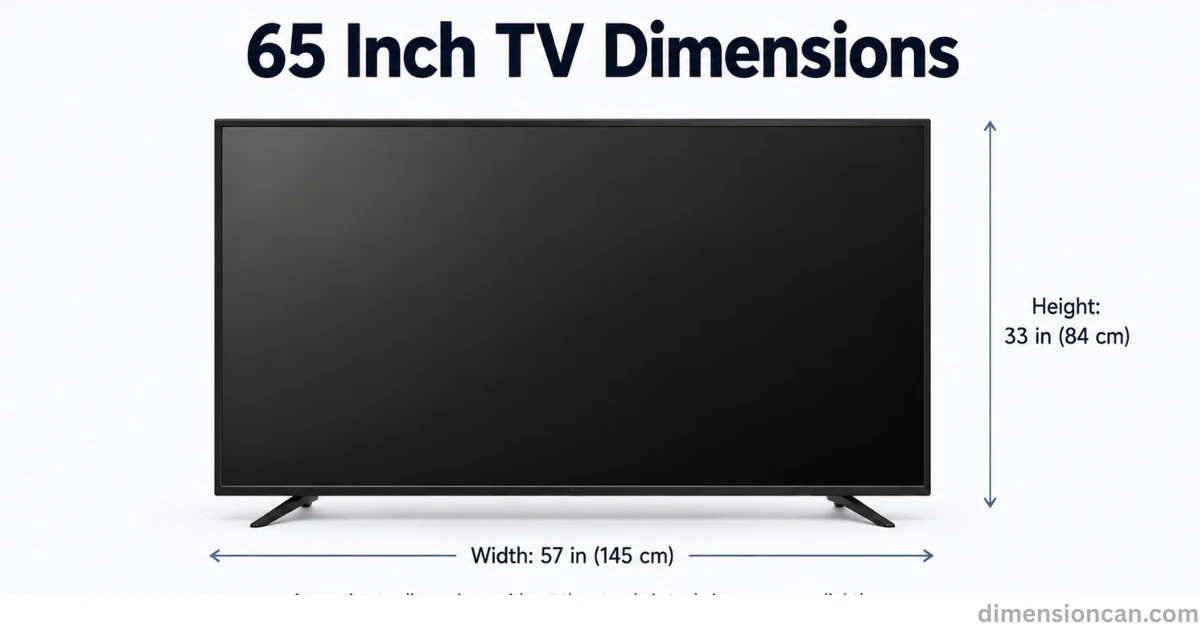
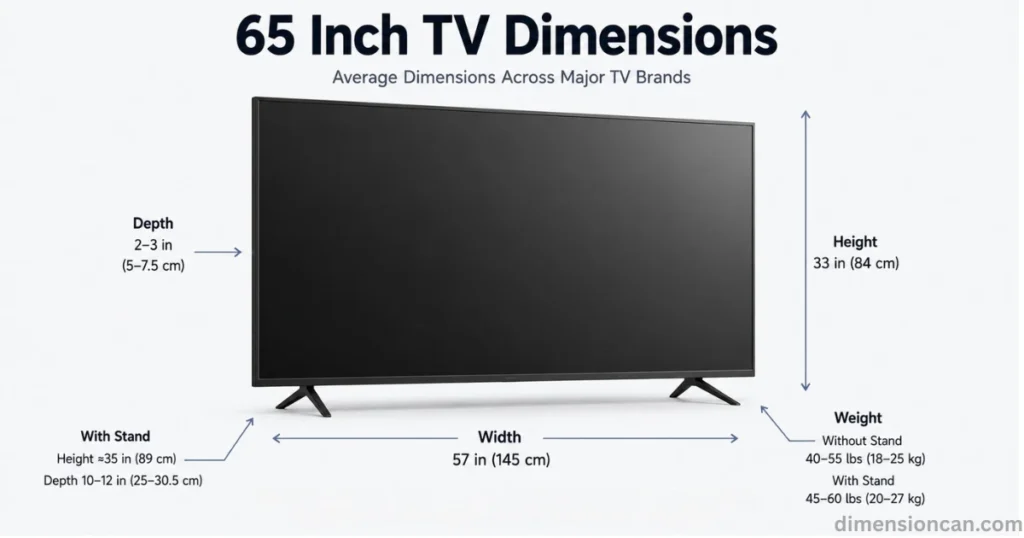
Width: 57 inches (145 cm) Height: 33 inches (84 cm) Depth: 2 to 3 inches (5 to 7.5 cm)
These are averages across major brands. A slimmer OLED panel or an ultra-thin QLED model can measure under an inch deep, while a budget LED TV may run closer to 3 inches.
Average 65 Inch TV Size With Stand
Add the stand legs and the height grows by a couple of inches. Expect a total height near 35 inches with the stand attached. Width barely changes, since most stands sit within the frame’s edges. Depth with stand usually lands between 10 and 12 inches, since the feet extend forward for balance.
How Much Does a 65 Inch TV Weigh?
Weight depends heavily on panel type and screen technology.
Without stand: around 40 to 55 lbs (18 to 25 kg) With stand: around 45 to 60 lbs (20 to 27 kg)
OLED TVs tend to weigh less than QLED or standard LED models, since they skip the backlight layer entirely.
Screen-Only vs Bezel-Included Dimensions
The 65-inch measurement refers only to the visible screen, not the frame around it. The bezel adds extra width and height to the total size.
A TV with a thick bezel can measure a full inch wider than one with a razor-thin frame, even though both are labeled “65 inch.” Always check the spec sheet, not just the size number, before buying furniture.
65 Inch TV Dimensions By Brand
- Samsung 65 inch TVs: width around 57.1 inches, depth as low as 1.8 inches on flagship models.
- LG 65 inch TVs: width around 57.2 inches, often thinner depth near 2 inches on OLED lines.
- Sony 65 inch TVs: width close to 57 inches, slightly heavier due to premium speaker systems.
- TCL 65 inch TVs: width around 57.1 inches, budget-friendly with slightly thicker bezels.
- Hisense 65 inch TVs: width near 57.1 inches, lightweight builds around 38 lbs.
More Posts:Queen Bed Dimensions: The Complete Size Guide
55 Inch TV Dimensions
55 Inch TV Width, Height & Depth
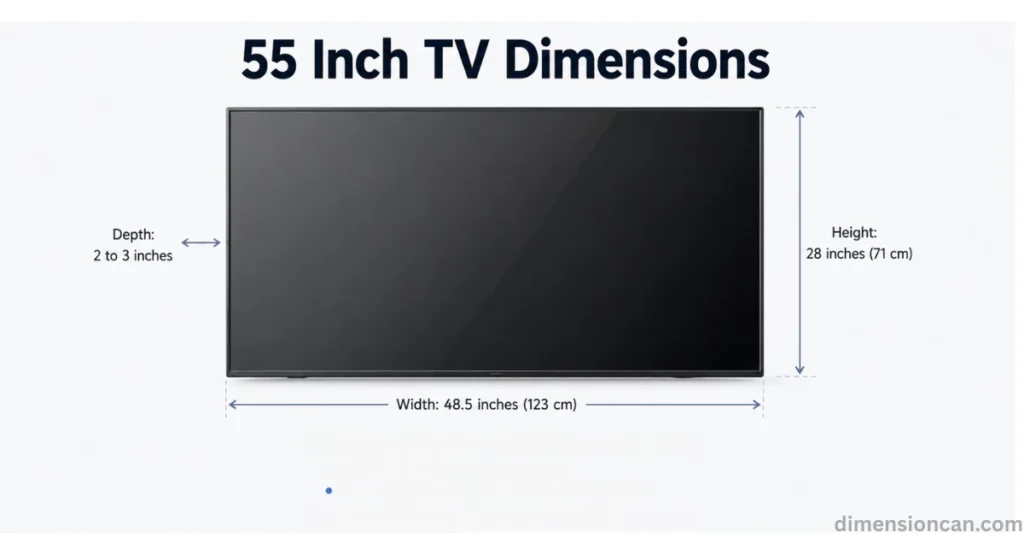
Width: 48.5 inches (123 cm) Height: 28 inches (71 cm) Depth: 2 to 3 inches
That’s noticeably smaller in every direction compared to a 65 inch TV.
65 Inch vs 55 Inch TV — Size Difference Explained
A 65 inch TV is roughly 18% larger diagonally than a 55 inch TV. In terms of actual screen area, that jump equals almost 40% more viewing surface.
If your room feels tight with a 55-inch screen, moving up to 65 inches adds real, noticeable size, not just a marginal upgrade.
75 Inch TV Dimensions
75 Inch TV Width, Height & Depth
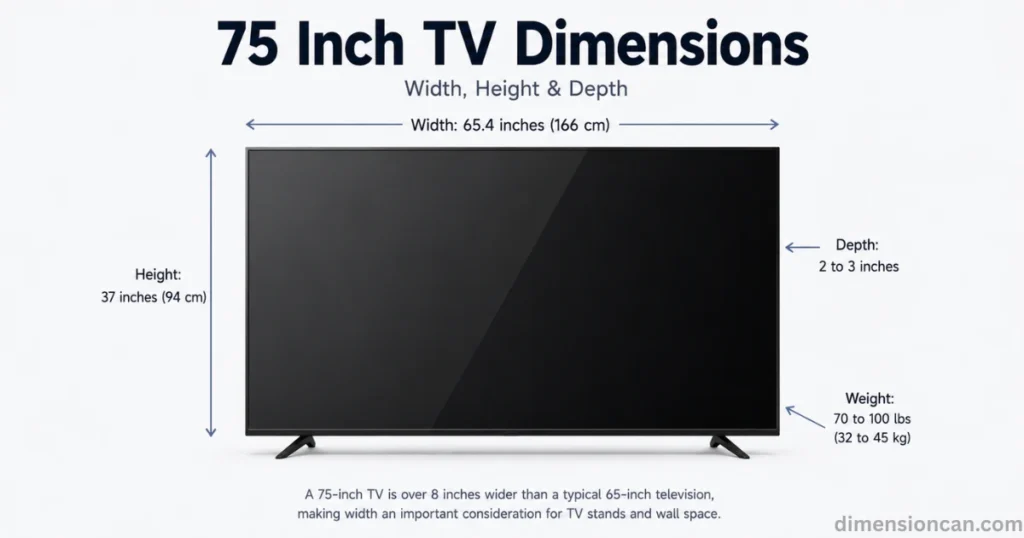
Width: 65.4 inches (166 cm)
Height: 37 inches (94 cm)
Depth: 2 to 3 inches
Weight: 70 to 100 lbs (32 to 45 kg)
That’s over 8 inches wider than a 65 inch television, which can matter a lot for narrow TV stands or tight wall spaces.
65 Inch vs 75 Inch TV — Which Size Fits Your Room?
Choose 65 inches if your seating sits around 8 to 10 feet from the screen. Choose 75 inches if you’re sitting 9.5 feet or farther, since the bigger screen needs more distance to avoid eye strain.
Smaller rooms almost always look and feel better with a 65-inch screen instead of forcing a 75-inch panel into the space.
More Posts:Car Garage Dimensions: Standard Sizes for 1, 2, 3 & 4-Car Garages (2026)
85 Inch TV Dimensions
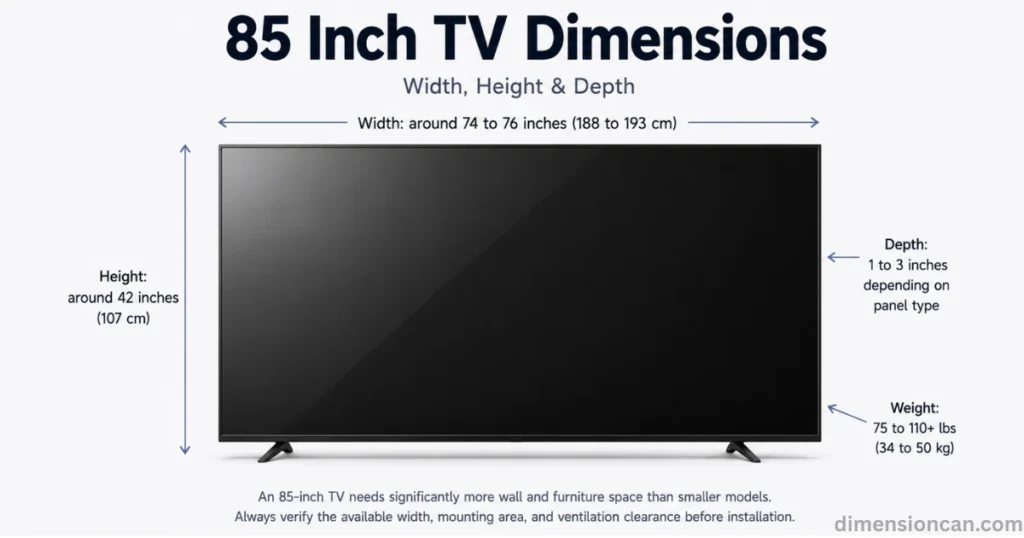
85 Inch TV Width, Height & Depth
Width: around 74 to 76 inches (188 to 193 cm)
Height: around 42 inches (107 cm)
Depth: 1 to 3 inches depending on panel type
Weight: 75 to 110+ lbs (34 to 50 kg)
65 Inch vs 85 Inch TV — Is The Upgrade Worth It?
An 85 inch screen needs close to 90 inches of clear wall space, plus a room depth of at least 10 feet for comfortable viewing.
If your living room is smaller than that, a 65 inch TV will actually look sharper and feel more balanced in the space. Bigger isn’t always better; room size should drive the decision, not just budget.
More Posts:iPhone Wallpaper Dimensions: The Complete 2026 Size Guide
65 Inch TV Viewing Distance, Mounting Height & Room Size
Ideal Viewing Distance For A 65 Inch 4K TV
Most experts, including THX and SMPTE, recommend sitting 8 to 10 feet away from a 65 inch 4K TV. Sitting closer can strain your eyes, since you’ll notice individual pixels or need to constantly shift focus across the screen.
How High To Mount A 65 Inch TV
The center of the screen should sit at eye level when seated, which is usually about 42 inches from the floor for most households. This keeps your neck relaxed during long viewing sessions instead of forcing an upward tilt.
Minimum Room Size Or Wall Space Needed
You’ll want at least 60 inches of clear wall width to comfortably fit a 65 inch TV with a few inches of breathing room on each side. This also allows proper airflow, which helps the panel run cooler and last longer.
Doorway And Delivery Clearance Check
A 65 inch TV box typically measures around 62 to 64 inches long. Standard doorways run about 30 to 32 inches wide, so the box usually passes through fine, but tight hallway turns or narrow staircases can still cause problems. Measure your delivery path before your new TV arrives, not after.
FAQs About 65 Inch TV Dimensions
How big is a 65 inch TV in centimeters?
A 65 inch TV measures about 165 cm diagonally, with a width near 145 cm and a height near 84 cm without a stand.
What are the dimensions of a 65 inch Samsung TV?
A 65 inch Samsung TV is usually around 57.1 inches wide and 32.8 inches tall without a stand, though exact numbers shift slightly by model.
Are all 65-inch TVs the same dimensions?
No. The screen size stays at 65 inches diagonally, but width, height, and depth vary by brand and bezel design.
How big should my TV be if I sit 10 feet away?
A 65 inch TV works well at 10 feet, since the ideal viewing distance for this size runs between 8 and 10 feet.
Does the weight of a TV affect the type of wall mount I need?
Yes. Every wall mount has a maximum weight capacity, so always match your TV’s exact weight, including the stand if attached, to the mount’s rated limit.
How do aspect ratios affect TV dimensions and screen sizes?
Most modern TVs use a 16:9 aspect ratio, which sets the relationship between width and height. This ratio, combined with the diagonal screen size, determines the TV’s exact dimensions.
Do TV bezels affect the overall dimensions of a TV?
Yes. A thicker bezel adds extra width and height beyond the screen size, while a thinner bezel keeps the TV closer to its true 65-inch footprint.
Is there a weight difference between LED, OLED, and QLED TVs?
Yes. OLED TVs are usually the lightest, since they skip the backlight layer. QLED TVs tend to weigh slightly more due to their added quantum dot layers.

James Walker is a content researcher and writer specializing in dimensions, measurements, size comparisons, and conversion topics. He creates clear, practical, and easy-to-understand guides that help readers visualize and understand real-world measurements.